
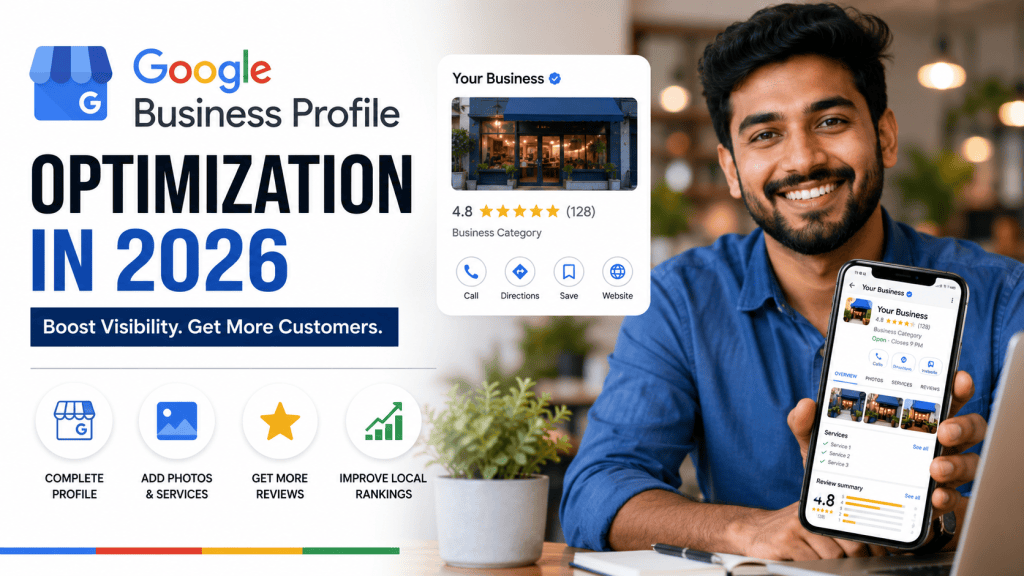
Published by Mugesh Sivakumar | SEO & Digital Marketing Specialist
When customers search for a local business on Google, they may see business listings, Maps results, reviews, photos, opening hours, phone numbers, and directions before they even visit a website.
For a local business, this visibility can be extremely valuable.
One of the most important foundations of local search visibility is a Google Business Profile.
But simply creating a profile is not enough.
Your business information needs to be accurate, complete, useful, and regularly maintained.
In this guide, we’ll explain how small businesses can optimize their Google Business Profile in 2026 and improve their chances of being discovered by potential local customers.
What Is a Google Business Profile?
Google Business Profile is a free Google tool that allows eligible businesses to manage how their business information appears across Google Search and Google Maps.
A business profile can display information such as:
- Business name
- Business category
- Address
- Phone number
- Website
- Opening hours
- Photos
- Reviews
- Products
- Services
- Business description
For customers, this information can help them decide whether to visit, call, message, or learn more about a business.
Why Google Business Profile Matters
Imagine someone searches:
“Digital marketing agency near me.”
Or:
“Best restaurant in Bangalore.”
Or:
“AC repair service near me.”
A potential customer may see local businesses directly in Google Search or Maps.
If your business profile is complete and your business is relevant to the search, you have an opportunity to attract that customer.
Google Business Profile should therefore be considered an important part of a broader Local SEO strategy, not a replacement for your website.
1. Use Your Real Business Name
Your business name should accurately represent your real-world business.
Avoid adding unnecessary keywords or location terms to your business name simply to try to improve rankings.
For example, if your actual business name is:
GrowNova Digital
don’t change it to something like:
GrowNova Digital Best SEO Company Bangalore
unless that is genuinely your business’s real-world name.
Your business information should accurately represent your business.
2. Choose the Most Relevant Primary Category
Your primary category helps describe the main type of business you operate.
Choose the category that most accurately represents your primary business.
For example, a restaurant, digital marketing agency, hotel, salon, and repair company should each select the category that best describes their actual business.
Do not choose unrelated categories just because they sound popular.
You can also use relevant additional categories where appropriate.
3. Complete Your Business Information
Your profile should provide customers with the information they need.
Check that your:
- Business name is correct
- Phone number is correct
- Website URL works
- Address is accurate
- Opening hours are updated
- Business category is relevant
- Services are properly listed
Incomplete information can create unnecessary friction for customers.
Make it easy for someone to understand your business within a few seconds.
4. Write a Useful Business Description
Your business description should explain what your company does and who you serve.
For example, a digital marketing company could explain its expertise in:
- SEO
- Local SEO
- Google Ads
- Social media marketing
- Website optimization
- Content marketing
Write naturally and clearly.
Avoid filling the description with repeated keywords.
The purpose is to help potential customers understand your business.
5. Add Your Services
If your business profile allows you to list services, use the available service fields appropriately.
For example, an SEO agency might list:
- Technical SEO
- On-Page SEO
- Local SEO
- Keyword Research
- SEO Audit
- Content Optimization
- Link Building
- Google Ads
Your services should match the services you actually provide.
Do not add unrelated services simply to target more searches.
6. Upload High-Quality Photos
Photos can make your business profile more attractive and informative.
Depending on your business, consider adding:
- Exterior photos
- Interior photos
- Team photos
- Product photos
- Service photos
- Office photos
- Project photos
- Work-in-progress photos
For a restaurant, food and interior photos can help customers understand the experience.
For a service company, project and team photos can help demonstrate credibility.
Use genuine photos whenever possible.
7. Get Genuine Customer Reviews
Customer reviews are an important part of your online reputation.
After delivering a good product or service, you can ask genuine customers to share honest feedback.
Good review practices include:
- Ask real customers
- Make the review process easy
- Respond professionally
- Thank customers for positive feedback
- Respond constructively to negative feedback
Never create fake reviews or ask people to post reviews for businesses they have not actually used.
The objective is to build genuine customer trust.
8. Respond to Your Reviews
Don’t simply collect reviews and forget about them.
Responding professionally shows customers that you pay attention to feedback.
For a positive review, a simple thank-you can be appropriate.
For a negative review, remain professional and try to address the customer’s concern.
Avoid arguing publicly with customers.
Your responses are also visible to potential customers evaluating your business.
9. Keep Your Opening Hours Updated
Incorrect opening hours can create a poor customer experience.
Imagine someone searches for your business, travels to your location, and discovers that the business is closed.
Regularly review your hours, especially during:
- Public holidays
- Festivals
- Special events
- Seasonal changes
- Temporary closures
If your operating hours change, update your profile.
10. Keep Your Website Connected
Your Google Business Profile should connect customers to a useful website where appropriate.
Your website should clearly communicate:
- What you offer
- Where you operate
- How customers can contact you
- Why customers should choose you
Your website and Google Business Profile should provide consistent and accurate business information.
This creates a stronger overall online presence.
11. Build Local Citations
Your business may also appear on other websites and directories.
Examples include:
- Local directories
- Industry directories
- Professional organizations
- Business directories
- Local publications
Keep important business information consistent.
Do not focus on submitting your business to every directory you can find.
Prioritize relevant and trustworthy platforms.
12. Create Local SEO Content
Your Google Business Profile works together with your website.
Create useful content that answers questions your local customers have.
For example, a digital marketing agency could publish:
- Local SEO tips for small businesses
- SEO guide for Bangalore startups
- Google Business Profile optimization tips
- How to improve local online visibility
- SEO mistakes local businesses should avoid
You can then internally link these articles to your relevant service pages.
This helps create a connected website structure.
13. Use Google Search Console
Google Search Console can help you understand how your website performs in Google Search.
Monitor:
- Search queries
- Impressions
- Clicks
- Average position
- Top-performing pages
- Indexing issues
Look for local search terms that are generating impressions.
If you discover that people are searching for a service you offer, consider improving your existing content or creating a dedicated resource.
14. Monitor Your Website and Technical SEO
Your Google Business Profile is only one part of your digital presence.
Your website should also be technically healthy.
Regularly check:
- Mobile usability
- Page speed
- HTTPS
- Sitemap
- Robots.txt
- Broken links
- Indexing
- Canonical URLs
- Structured data
- Core Web Vitals
A strong local strategy combines your business profile with a useful, accessible website.
15. Don’t Try to Manipulate Rankings
One of the biggest mistakes businesses make is looking for shortcuts.
Avoid practices such as:
- Fake reviews
- Keyword stuffing
- Fake business locations
- Spammy backlinks
- Misleading business information
- Duplicate location pages with no useful information
A sustainable Local SEO strategy focuses on providing accurate information and a good customer experience.
Google Business Profile Optimization Checklist
Use this checklist to review your profile:
☐ Correct business name
☐ Relevant primary category
☐ Appropriate additional categories
☐ Accurate phone number
☐ Correct website
☐ Accurate address or service area
☐ Updated business hours
☐ Complete business description
☐ Services added
☐ Products added where relevant
☐ High-quality photos
☐ Genuine customer reviews
☐ Professional review responses
☐ Consistent business information
☐ Relevant local citations
☐ Mobile-friendly website
☐ Useful local content
☐ Search performance monitoring
How Often Should You Update Your Google Business Profile?
There is no need to make unnecessary changes every day.
Instead, update your profile whenever something important changes.
For example:
Business hours changed? Update them.
New service launched? Add it.
New location opened? Update the relevant information.
New photos available? Add useful, genuine photos.
Business information changed? Keep your online profiles consistent.
Regular maintenance is more useful than making random changes simply for the sake of activity.
Google Business Profile vs Website: Which Is More Important?
You don’t have to choose between them.
They serve different purposes.
Your Google Business Profile helps customers discover important business information through Google Search and Maps.
Your website gives you more space to explain your services, publish content, demonstrate expertise, and convert visitors into enquiries.
The strongest strategy is to use both together.
Think of it like this:
Google Search & Maps → Business Profile → Website → Enquiry → Customer
How Google Business Profile Fits Into Local SEO
Google Business Profile is one part of a larger Local SEO strategy.
A complete strategy can include:
Google Business Profile
↓
Website Optimization
↓
Local Content
↓
Customer Reviews
↓
Local Citations
↓
Relevant Backlinks
↓
Technical SEO
↓
Performance Tracking
Each part supports your overall online visibility.
Final Thoughts
A Google Business Profile is more than a digital business card.
For local businesses, it can become an important point of contact between your company and potential customers searching on Google.
Start with the fundamentals:
Accurate information.
The right category.
Useful services and descriptions.
Real photos.
Genuine reviews.
A strong website.
Consistent local SEO.
Don’t focus on shortcuts.
Focus on building a business presence that customers can trust.
When someone searches for your service in your area, you want your business to be easy to discover, easy to understand, and easy to contact.
That’s the real goal of Local SEO.
About the Author
Mugesh Sivakumar is an SEO and Digital Marketing Specialist helping startups and local businesses improve their online visibility through SEO, Local SEO, Google Business Profile optimization, Google Ads, content marketing, and digital marketing strategies.
His practical approach focuses on technical SEO, on-page optimization, keyword research, local search visibility, content optimization, backlink building, and performance analysis.
Want to improve your local search visibility?
Start with a complete Local SEO and Google Business Profile audit to identify opportunities for improving your online presence and attracting more potential customers.
 GrowNovaDigital | SEO & Digital Marketing Blog
Leave a comment